Your shopping cart is empty!
ME7 Logging and Flashing From Your Phone
No laptop in the car. A phone, a cable and an OTG adapter.
We have been building a GTS app for Android. In November 2026 it logged and flashed one of our own cars that way.
It reads the ECU, logs the engine, reads the fault codes, sends logs and codes to us, and writes your tune.
Where it stands: the app is still in testing and it is not out yet. Until it is released, remote tuning works the way it always has, with a Windows laptop. How remote tuning works has the whole process.
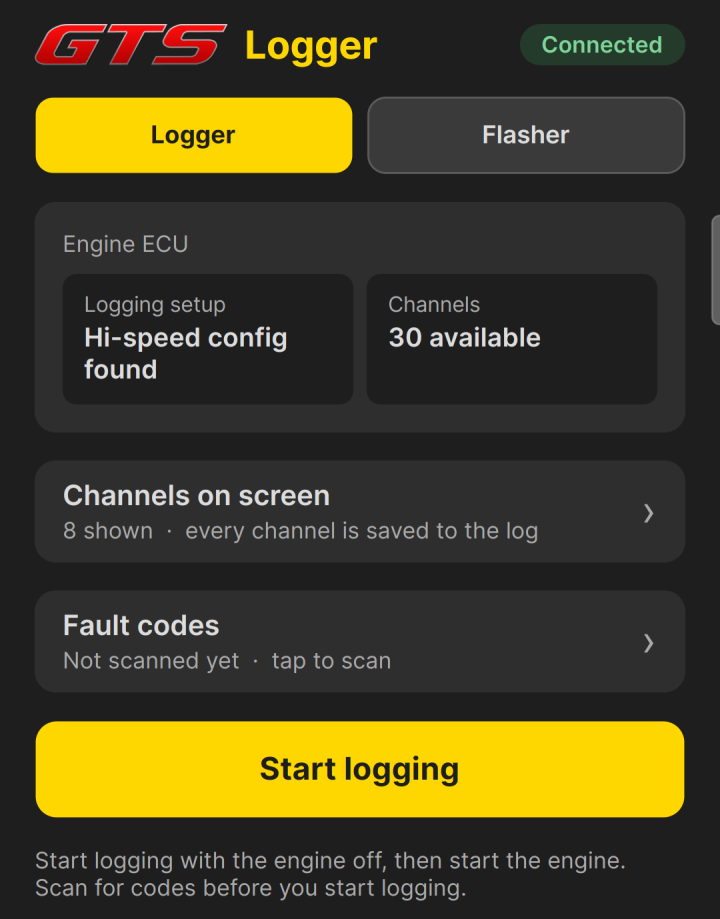 Connected to our test car. The app identifies the ECU and finds the logging setup for it.
What the app does
- Logging: about 33 samples a second, with every channel saved.
- Fault codes: it reads the codes stored in the engine ECU. Nothing is cleared.
- Sending: logs and codes go to us from the app.
- Flashing: it reads the ECU and writes your tune. On an update it writes only the blocks that changed.
Logging at 33 samples a second
A tune is only as good as the logs behind it. On our test car the ECU offers 30 channels, and the app records all of them at about 33 samples a second.
Eight channels are on screen, and you choose which ones. Knock retard is shown for each cylinder, with its peak. Your choice only changes what is on screen: every channel is saved to the log either way.
You can send the log to us from the app.
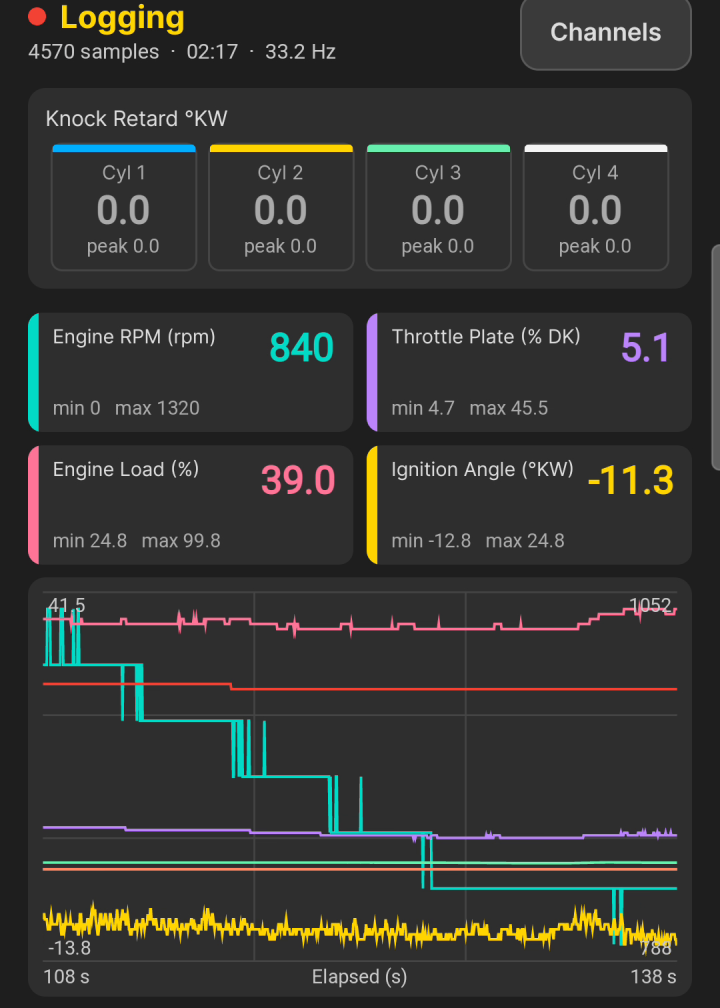 Live logging at idle: 4,570 samples at 33.2 Hz.
Fault codes first
The app reads the fault codes stored in the engine ECU before you log. It only reads them. Nothing is cleared.
A stored code explains a lot of what a log shows, so scan first, then log. You can send the list of codes to us from the same screen.
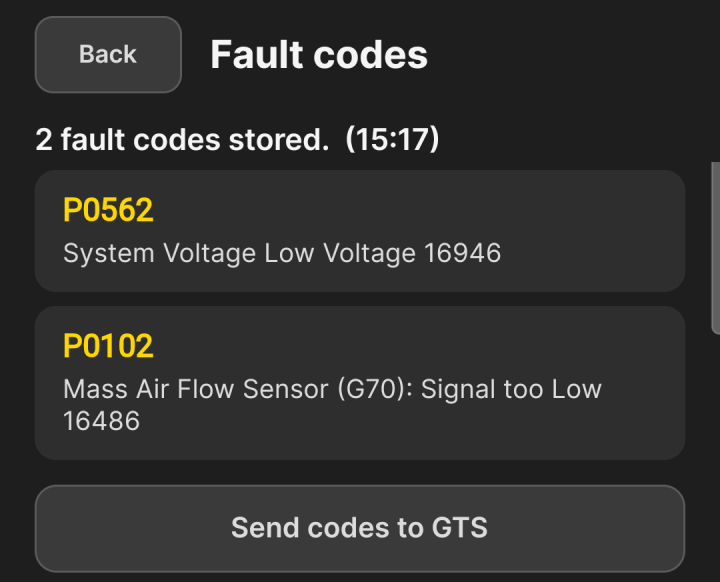 Two stored codes on our own car, read from the phone.
Flashing: it writes only what changed
Before it writes anything, the app checks every block of the ECU against your tune. Blocks that already match are left alone. Only the blocks that differ are written, and each one is verified after it is written.
On our test car the ECU has 19 blocks. A tune update changed three of them. The app wrote and verified those three, left the other sixteen alone, and finished in 81 seconds.
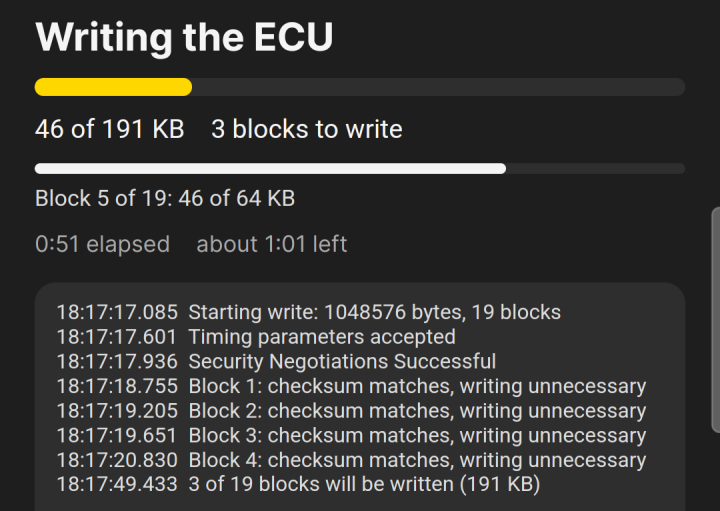 The check before the write: 3 of 19 blocks need writing.
The rules during a write are simple: do not unplug the cable, switch off the ignition or close the app until it finishes. When it is done, switch the ignition off for at least 15 seconds before you start the car.
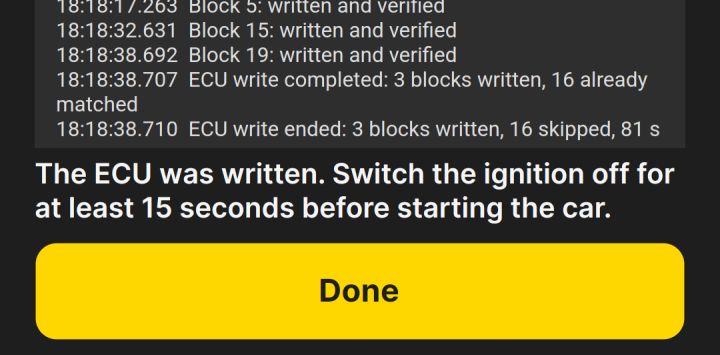 Three blocks written and verified, sixteen skipped, 81 seconds.
What you need
- Phone: an Android phone. We run it on a Galaxy S24 Ultra.
- Cable: your cable and a USB OTG adapter. The cable plugs into the phone through the adapter.
- Power: a healthy battery, or a charger on the car.
Connecting takes three steps:
- 1. Plug the cable into the car's OBD port.
- 2. Turn the ignition on. Leave the engine off.
- 3. Allow USB access when Android asks, then connect.
Which cars
The app is built for the K-Line cars on the Bosch ME7 ECU, including:
- Cars: VW MK4, Audi MK1 TT, Audi B5 A4, VW B5 Passat and Porsche Cayenne 955.
- Engines: 1.8T, VR6, 2.0 8v, 2.8 and 3.2.
Finding your engine code tells you which engine you have.
We will add to this page as testing moves on. For an update on testing, contact us.